 EN
EN  ID
ID MY
MY SG
SG
If you are an SEO professional or a website owner who is serious about improving online visibility, you may have often heard of one of the most popular tools in search engine optimization (SEO), namely Yoast SEO. However, for those who are not yet familiar with it, let’s explore how important Yoast SEO is in improving your website’s ranking and traffic.
What is Yoast SEO?
Yoast SEO is a WordPress plugin specifically designed to guide you on how your website can optimally follow good relevance principles, so it can improve your website’s position in search engines. Created by Joost de Valk, this plugin has become the top choice for thousands of WordPress users around the world. With its advanced features, Yoast SEO helps you optimize every aspect of your content for search engines, including Google.
Why is Yoast SEO Important for SEO?
Yoast is one of the best tools if you are working on SEO optimization. So, what are the reasons that make Yoast SEO important for improving your SEO performance?
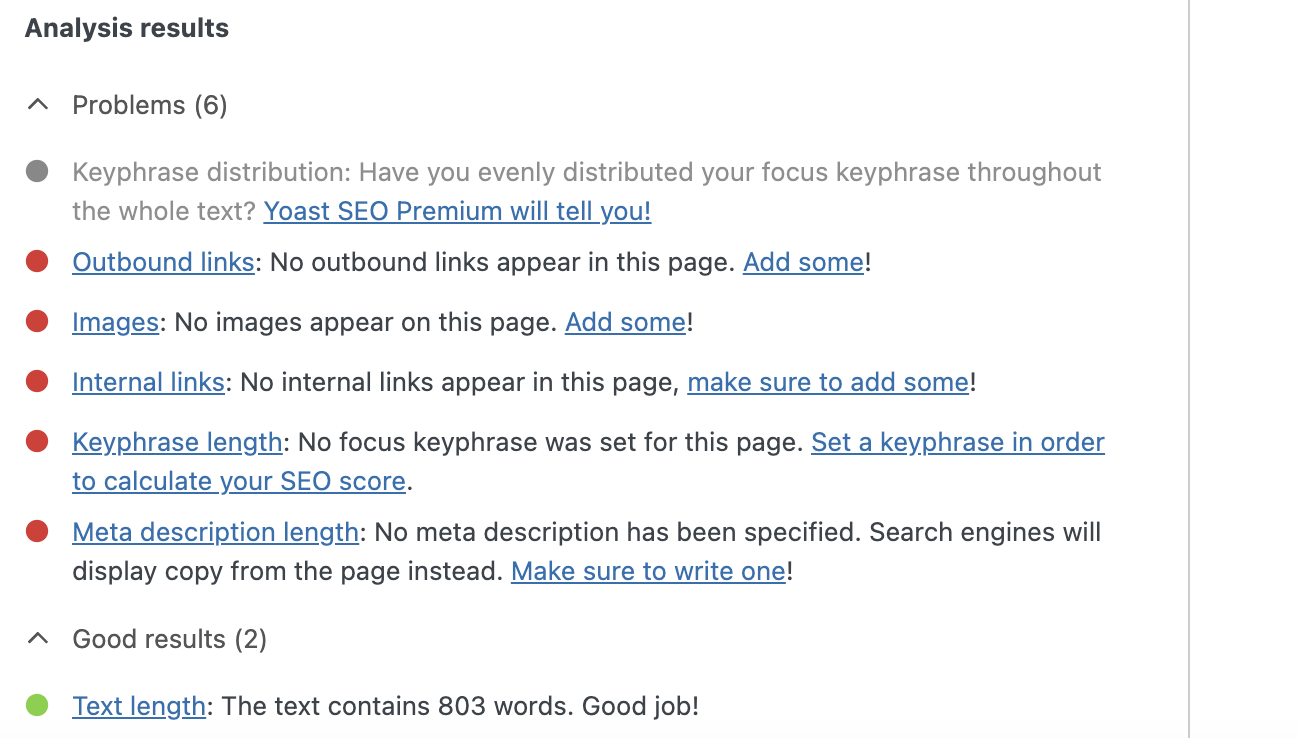
Content Analysis: One of the main features of Yoast SEO is its comprehensive content analysis. When you write or edit a post or page in WordPress, this plugin provides an evaluation along with easy-to-understand suggestions on how to improve your content’s SEO. This includes keyword usage, article length, keyword density, and much more.
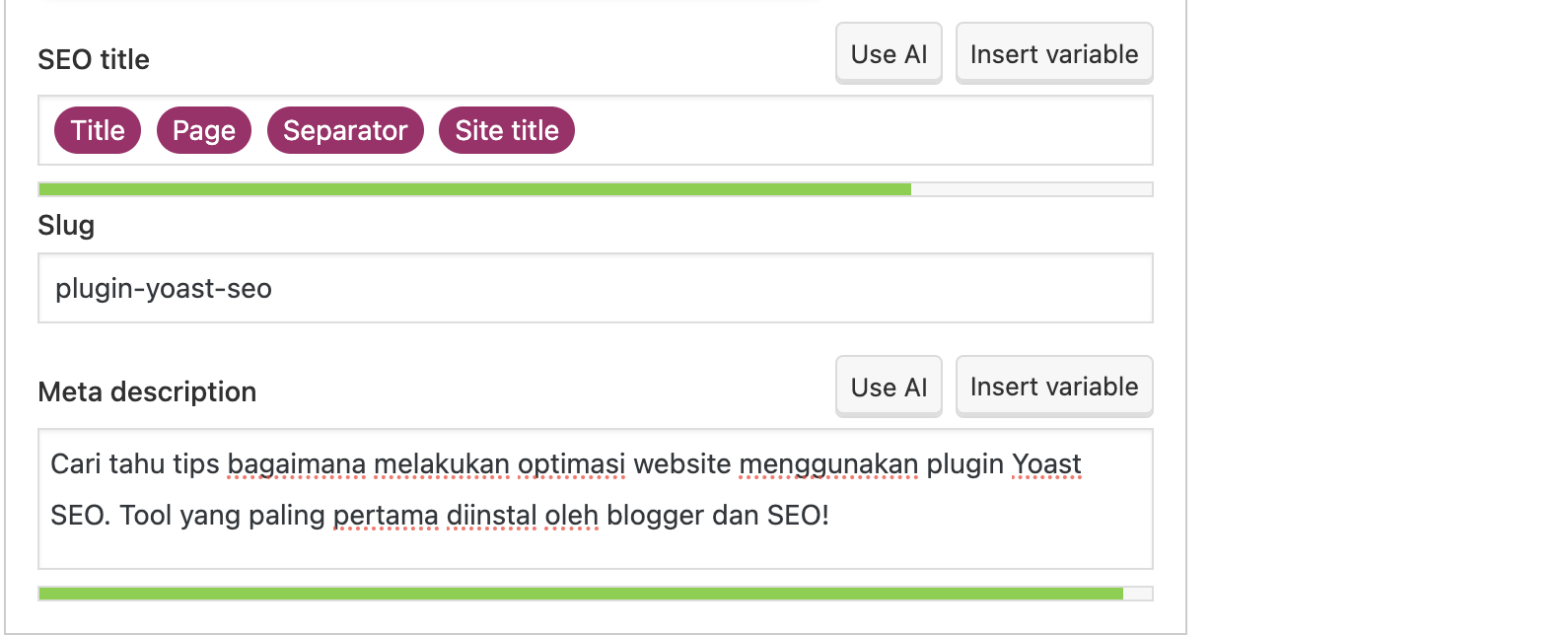
SEO Titles & Meta Descriptions: Yoast SEO allows you to set custom titles and meta descriptions for each of your pages or posts. These are important elements of on-page SEO optimization because they help attract users’ attention in search results and inform search engines about the content of your page.
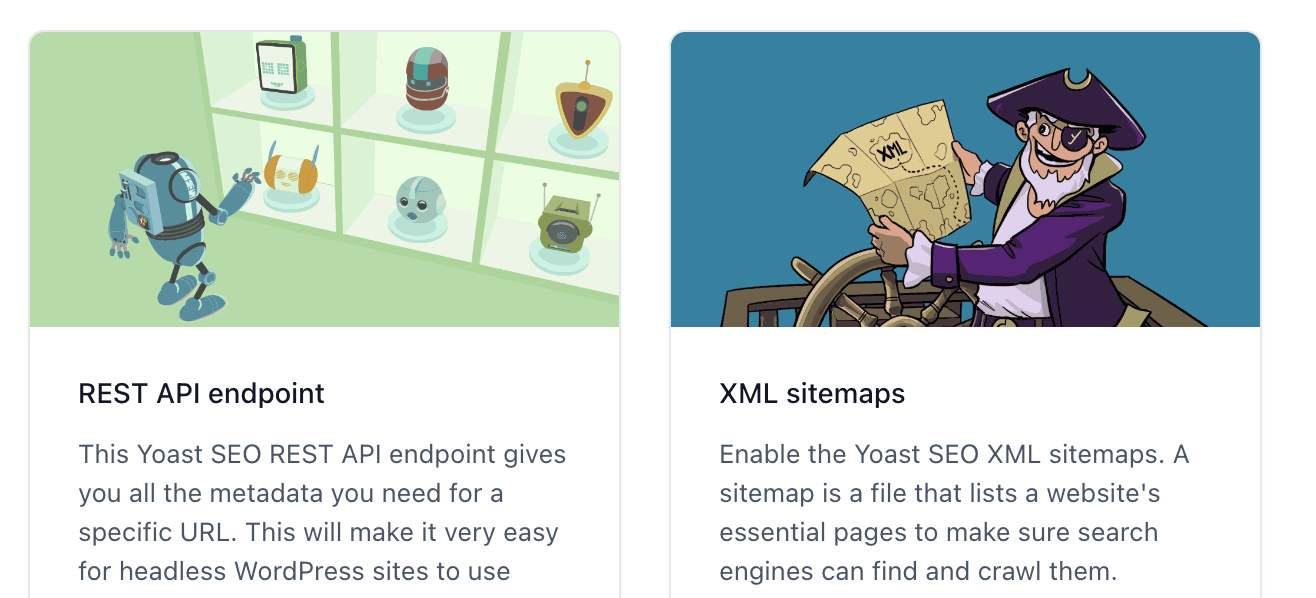
XML Sitemaps
This plugin automatically generates an XML sitemap that helps search engines index your site more efficiently. You can also easily control which types of content should be included in your sitemap. No need to worry about managing XML files manually. Yoast automatically generates them for you. To access the XML feature, simply go to the Settings menu in the Yoast SEO plugin on your website.
Breadcrumbs
Yoast SEO allows you to easily enable breadcrumbs on your site. This improves user experience and helps search engines understand your site hierarchy.
Index Control
You can control which pages or posts are indexed by enabling or disabling indexing options on each page. This is very useful if you want to hide certain pages from search engines.
Internal Link Monitoring
Yoast SEO provides an overview of how internal links on your site are connected. This helps ensure that your internal links guide both users and search engines to your most important pages.
How to Use Yoast SEO
If this is your first time using Yoast SEO, here are the steps you can follow:
Installation and Activation
First, install and activate the Yoast SEO plugin in WordPress. You can find it in the Plugins section of your WordPress dashboard.
Initial Configuration
After activation, the plugin will guide you through the initial configuration process. This includes basic settings such as indexing setup and sitemap configuration.
Optimize Each Content
Whenever you write or edit a post or page, you will see the Yoast SEO box at the bottom of the editor. This is where you can optimize your content, including keywords, titles, and meta descriptions.
General Settings
In the plugin settings section, you can adjust general Yoast SEO configurations such as sitemap settings, breadcrumbs, and permalink settings.
Combine with Other Tools
Yoast SEO can be integrated with other SEO analysis tools such as Google Search Console and Google Analytics to provide more detailed insights into your website performance.
Tips for Optimizing SEO with Yoast SEO
Identify Your Main Keywords
Before writing content, determine the main keywords relevant to your topic. Yoast SEO will help ensure those keywords are used properly in your content.
Pay Attention to Warnings and Suggestions
Always check the Yoast SEO box for warnings and suggestions while writing or editing content. Try to fix each recommended aspect to improve SEO performance.
Preview Search Appearance
Use the Yoast SEO preview feature to see how your title and meta description will appear in Google search results. Make sure they are attractive and relevant to your content.
Update Regularly
Make sure to keep your Yoast SEO plugin updated to the latest version to get new features and security improvements.
Learn from Educational Resources
Yoast SEO provides many educational resources, including blogs and guides. Take advantage of these materials to better understand SEO.
So, if you want your website to reach the top rankings in Google search results, Yoast SEO is a tool you should not miss. It provides strong guidance for optimizing your content, making your site more SEO-friendly, and helping you compete in an increasingly competitive online world. By focusing on solid SEO practices and using Yoast SEO wisely, you can achieve greater success in the online space.
To support broader visibility, seedbacklink can help connect your content with external publishers, allowing your strategy to grow more steadily through both on-page and off-page approaches.